
Open studybuddypro.app/mobile in Safari. Opened the link inside Facebook, Instagram, TikTok or a text? Tap ⋯ or the compass and choose Open in Safari first.
Coach Kev walks you through it on his iPhone
Every tap, start to finish: Safari, Share, Add to Home Screen, signing in and turning on notifications. Captions are in the player. Prefer pictures? The same steps are below.
-
1
Tap ⋯ next to the address bar
It’s at the bottom of the screen, on the right.
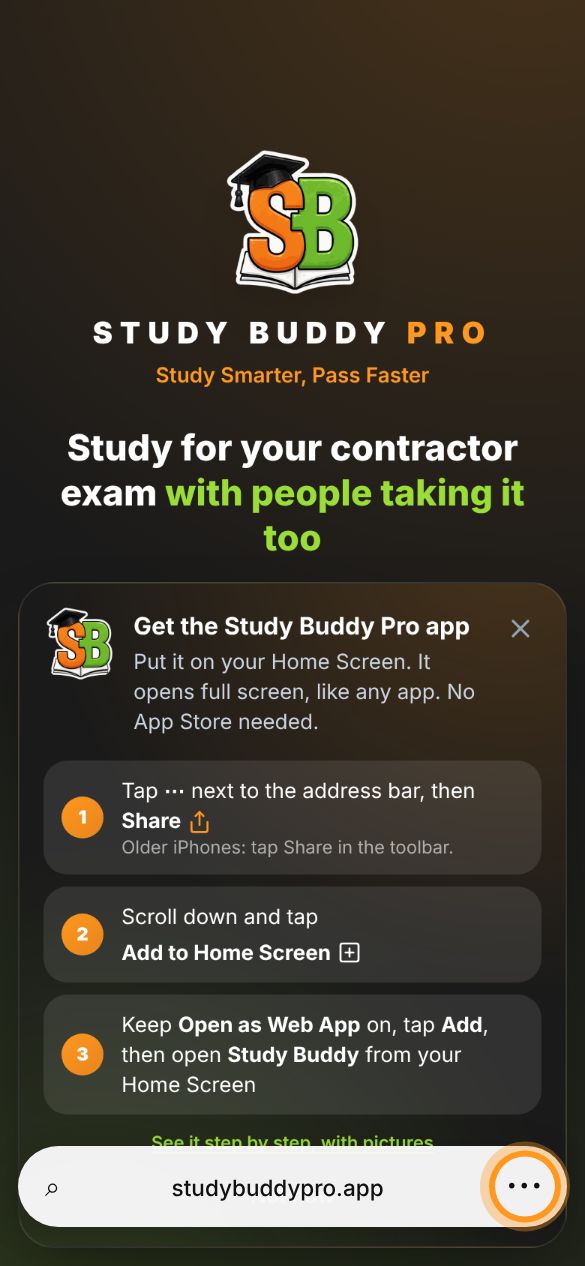
Older iPhone? If you don’t see ⋯, tap the Share button ⇪ in the bottom toolbar and go to step 3.
-
2
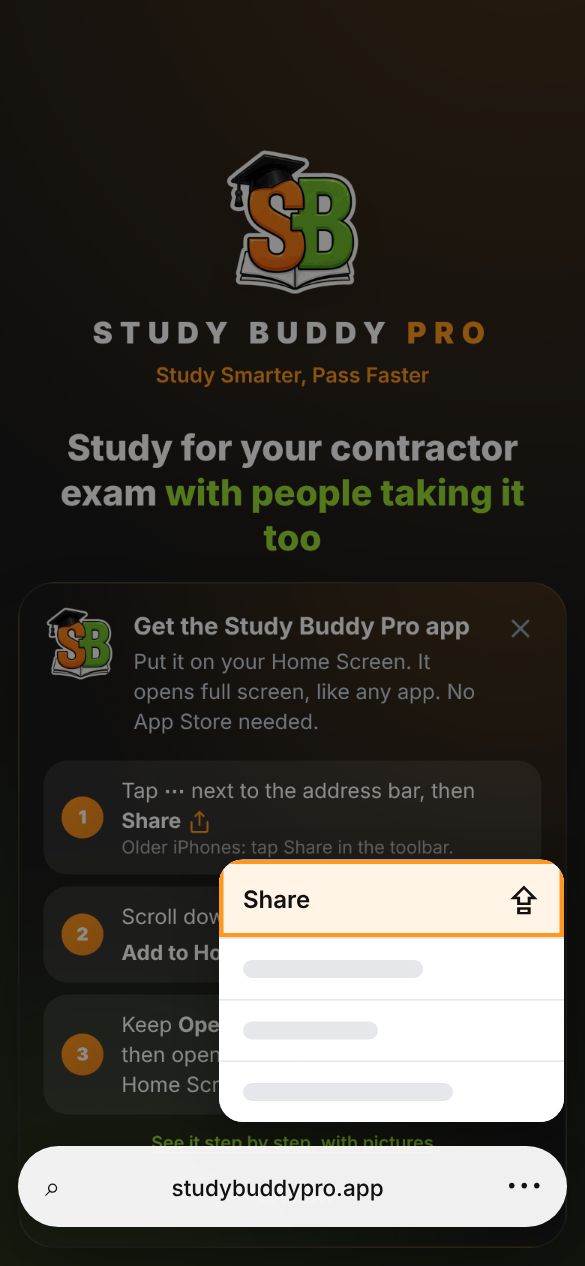
Tap Share
It’s at the top of the menu that pops up.
-
3
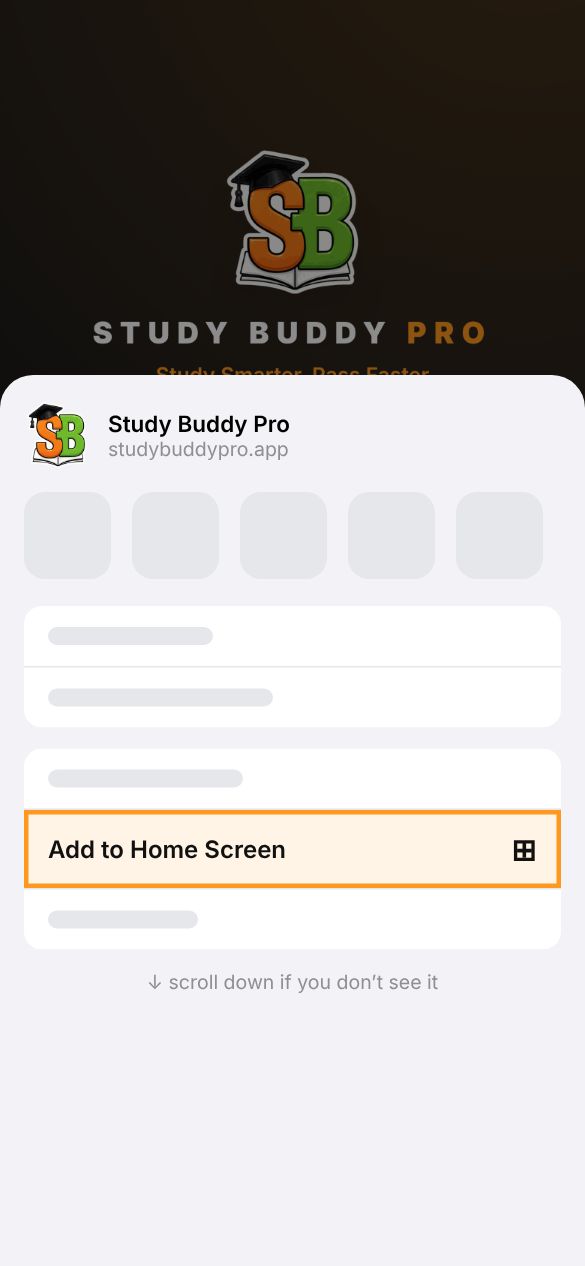
Scroll down and tap Add to Home Screen
It’s in the list under the app icons. Swipe up if you don’t see it.
-
4
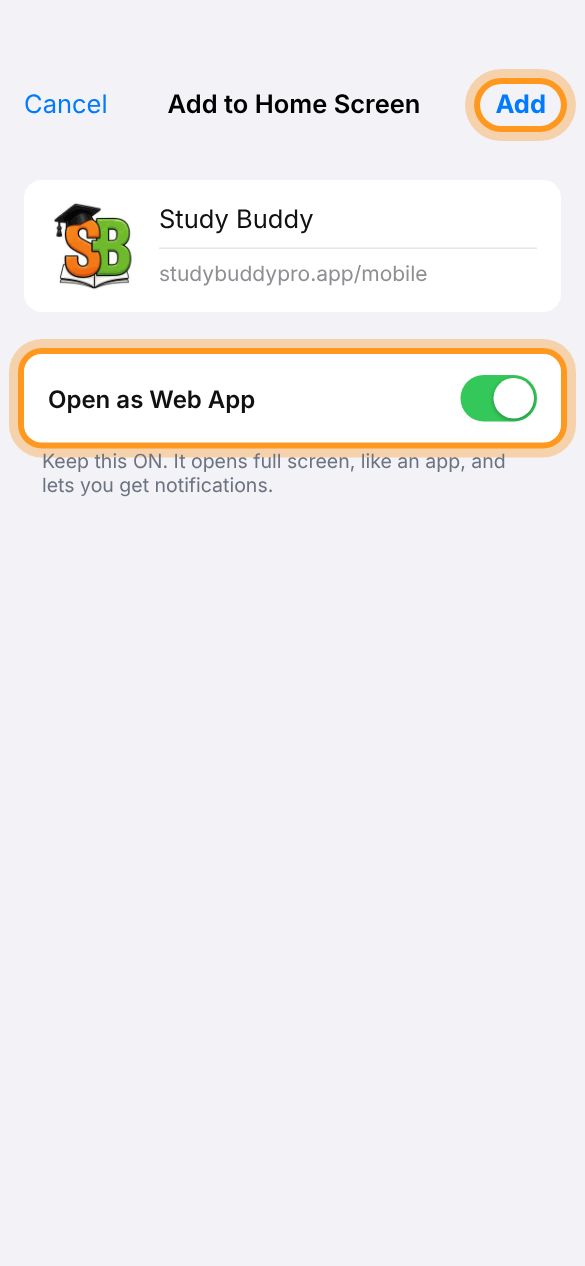
Keep Open as Web App on, then tap Add
Leave the switch green. That makes it open full screen like an app, and lets it send you notifications.
-
5
Open Study Buddy from your Home Screen
Look for the Study Buddy icon. From now on, open the app from this icon, not from Safari.

-
6
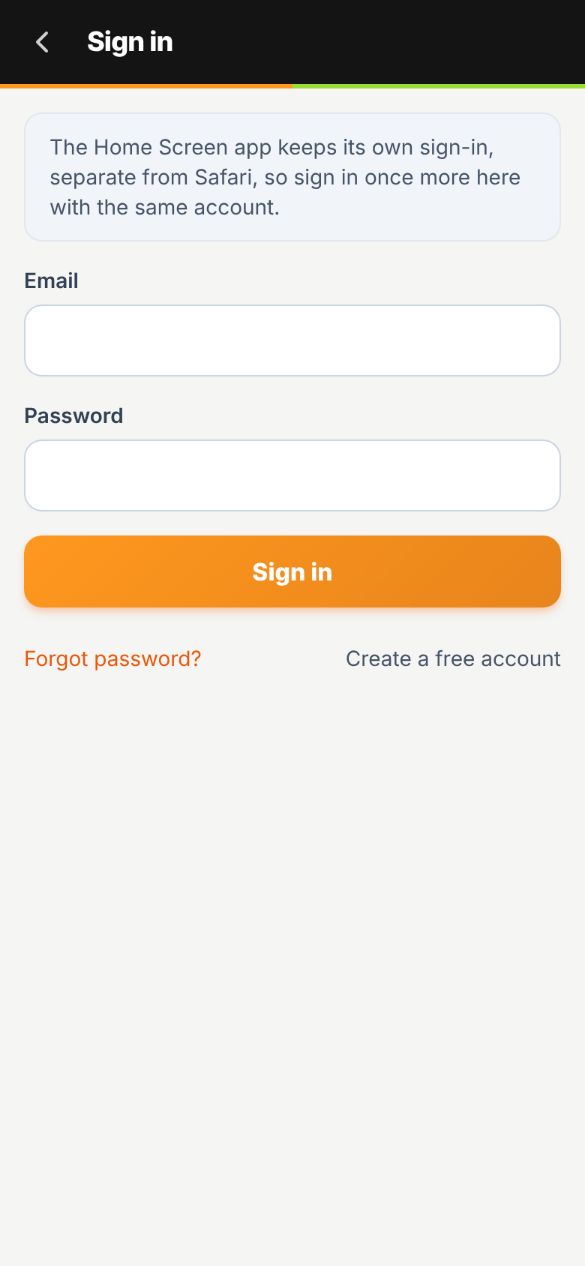
Sign in one more time
The Home Screen app keeps its own sign-in, separate from Safari. Use the same email and password you use on the website.
That’s it. You’re in. 🎉
Tap Turn on notifications on the Today tab so you hear from your study buddies and Coach Kev.
Open studybuddypro.app/mobile in Chrome. Opened the link inside another app? Tap ⋮ and choose Open in Chrome or Open in browser first.
Coach Kev walks you through it on Android
Chrome, Install, opening it from your Home screen, signing in and turning on notifications. Captions are in the player. Prefer pictures? The same steps are below.
-
1
Tap Install the app
It’s on the welcome screen when you open the link in Chrome.
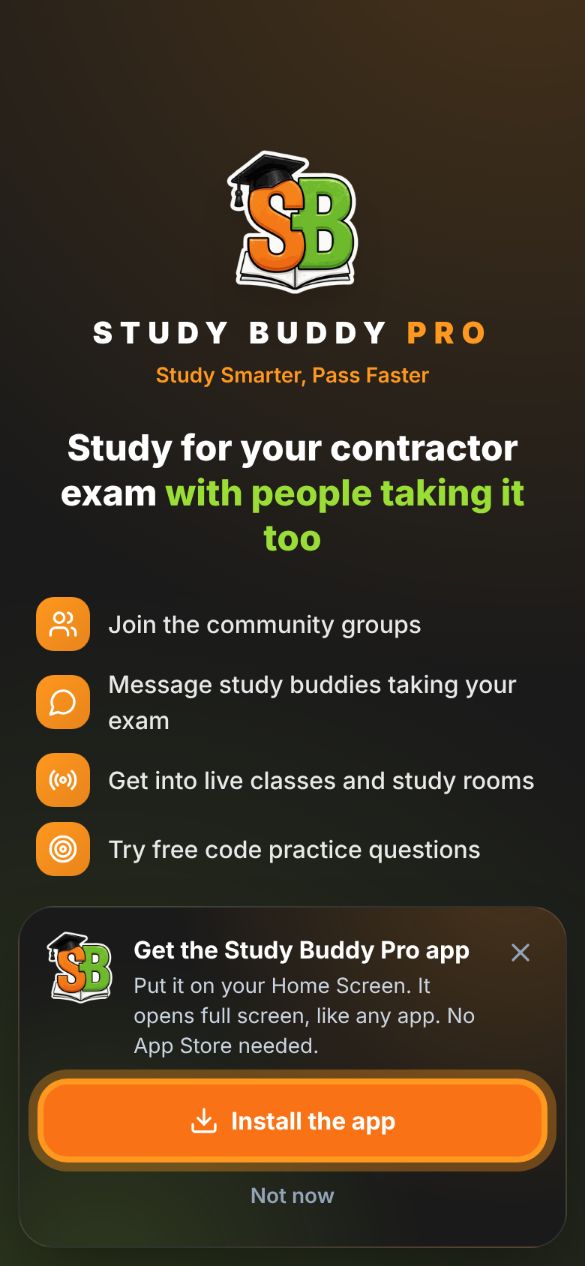
No button? Tap ⋮ at the top right of Chrome, then Install app or Add to Home screen.
-
2
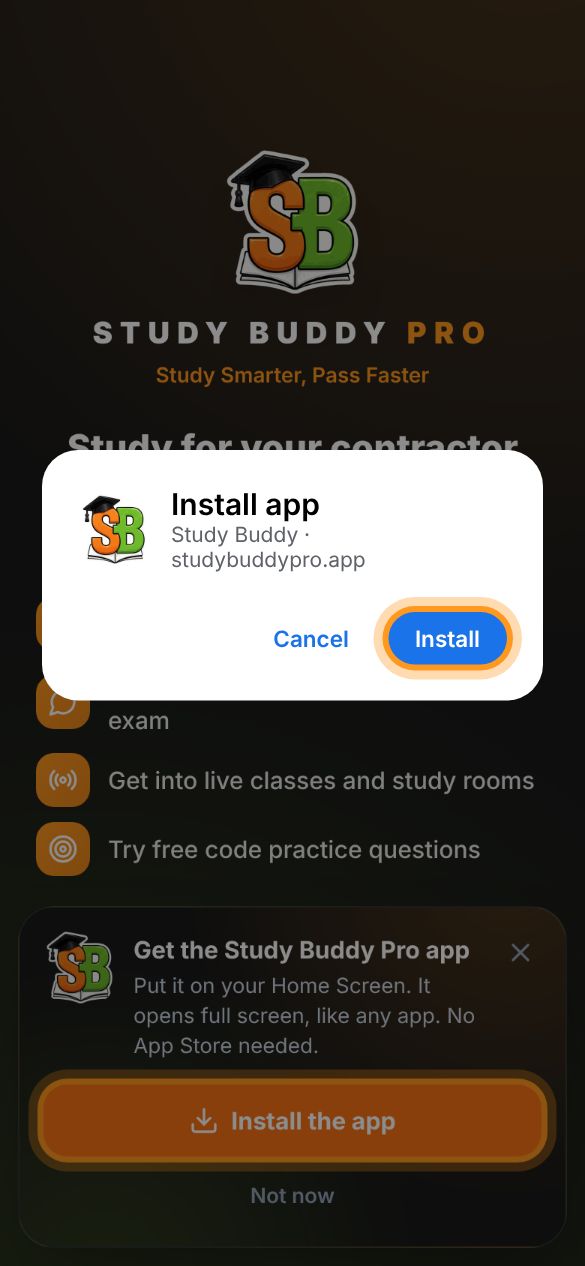
Tap Install
Chrome asks once. The app shows up with your other apps.
-
3
Open Study Buddy and sign in
Use the same email and password you use on the website.
That’s it. You’re in. 🎉
Tap Turn on notifications on the Today tab so you hear from your study buddies and Coach Kev.
Stuck? Quick fixes
I don’t see “Add to Home Screen”
- Make sure you’re in Safari, not in Facebook, Instagram, TikTok, Gmail or a text preview. Their built-in browsers can’t add apps.
- In the share list, scroll all the way down. You can also tap Edit Actions and add it.
Should “Open as Web App” be on or off?
On. On makes it open full screen like a real app and lets it send notifications. Off just saves a bookmark that opens in Safari.
Notifications aren’t coming in
- Open the app from the Home Screen icon (not Safari), go to Me › Notifications and turn them on.
- On iPhone, check Settings › Notifications › Study Buddy is allowed.
- iPhones need iOS 16.4 or newer for app notifications.
It asks me to sign in again
That’s normal the first time. The Home Screen app keeps its own sign-in, separate from Safari. Sign in once and it remembers you.
The app looks stuck or out of date
Close it and open it again. Still stuck? Open studybuddypro.app/mobile/?reset-app=1 once in the same browser to refresh it.
How do I remove it?
Press and hold the Study Buddy icon, then tap Remove App (iPhone) or Uninstall (Android). Your account and progress stay safe.